
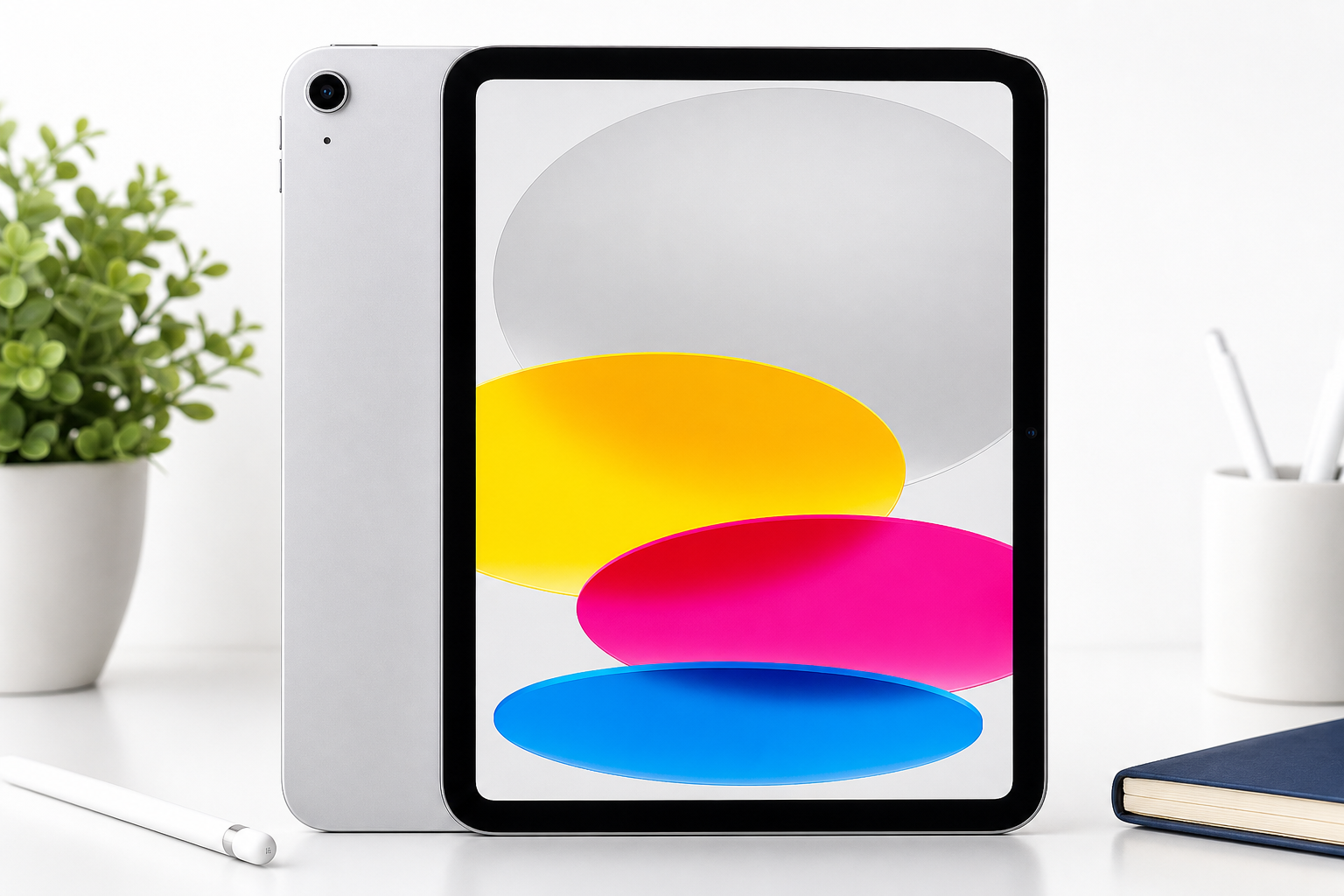
Apple iPad 11‑inch (A16, 128GB, Wi‑Fi): Compact Powerhouse with a Liquid Retina Display
Product Context
The Apple iPad 11‑inch with A16 chip and 128GB storage is positioned as a versatile, mid‑tier tablet aimed at users who want more power and screen real estate than the basic entry‑level iPad, without stepping all the way up to the Pro segment. With its 11‑inch Liquid Retina display, Wi‑Fi 6 connectivity, Touch ID, and 12MP front and rear cameras, this configuration is well suited for students, home and office productivity, and media consumption.
While exact pricing fluctuates, this 128GB Wi‑Fi configuration typically sits in the mid‑range of Apple’s tablet lineup, with street prices often around $399.00 depending on sales and retailer discounts. That puts it within reach for buyers upgrading from older iPads or Android tablets who want a performance bump and a more modern display without paying a premium for features like ProMotion or higher storage tiers.
Feature Breakdown
A16 chip
The A16 chip is the core of this iPad’s appeal. It delivers a significant leap in CPU and GPU performance over older A‑series chips commonly found in previous‑generation iPads. For most buyers, this translates into:
- Smooth multitasking with multiple apps in Split View and Slide Over
- Responsive performance in productivity apps like note‑taking, office suites, and web‑based tools
- Enough graphical headroom for most modern games and creative apps
For users coming from devices with chips equivalent to A12–A14, the A16 makes everyday interactions snappier and extends the tablet’s useful lifespan, as newer versions of iPadOS and more demanding apps are released.
11‑inch Liquid Retina display
The 11‑inch Liquid Retina display strikes a balance between portability and workspace size:
- Ample screen area for side‑by‑side documents, split‑screen browsing, and media playback
- Sharp text and detailed imagery suitable for reading, light photo editing, and sketching
- Wide color and solid brightness that handles indoor and most outdoor scenarios reasonably well
While it may not include every advanced display feature from the Pro line (like very high refresh rates), this panel is more than sufficient for typical productivity, study, and entertainment use cases.
128GB storage
The 128GB capacity is a practical baseline for mixed‑use scenarios:
- Comfortable for common app libraries, offline media for travel, and a moderate photo/video collection
- Enough space for large apps (creative suites, games, educational tools) without constant micromanagement
However, heavy local‑file users—such as those storing 4K video projects or extensive offline media libraries—may need to lean on cloud storage or be more proactive about regularly offloading data.
Wi‑Fi 6 connectivity
With Wi‑Fi 6, this iPad can take advantage of newer routers and networks:
- Faster, more stable connections on compatible networks
- Better performance in congested environments, such as offices, dorms, or apartments with many devices
For most buyers, Wi‑Fi 6 helps keep performance future‑proof and ensures the tablet remains responsive as home and public networks evolve.
Camera system: 12MP front and 12MP back
The inclusion of 12MP sensors on both the front and rear is notable for a non‑Pro tablet:
- Rear 12MP camera: Sufficient for document scanning, casual photography, and short video clips. While it won’t replace a dedicated camera or flagship phone, image quality is generally clean and detailed in good light.
- Front 12MP camera: Especially useful for video calls, online classes, and remote meetings. The higher resolution improves clarity, and the front camera’s quality pairs well with modern video‑conferencing apps.
Touch ID and security
Touch ID is integrated into the design, allowing:
- Fast fingerprint unlock
- Secure app and purchase authentication
While some premium models in Apple’s lineup favor Face ID, Touch ID remains straightforward and reliable, especially for users who prefer a tactile authentication method.
All‑day battery life
Apple targets all‑day battery life in typical mixed usage, and this configuration is designed to deliver:
- A full work or school day of browsing, note‑taking, and document work
- Several hours of streaming or gaming without needing to recharge
Actual endurance will vary based on screen brightness and workload, but the capacity is broadly adequate for commuters, students, and home users who recharge overnight.
Performance Insights
Everyday work and study
For common workflows—email, web apps, document editing, PDF markup, and note‑taking—the A16 chip provides more than enough headroom:
- Apps launch quickly and remain responsive
- Multitasking with two apps side‑by‑side is fluid
- Handwriting input (with compatible styluses) feels responsive and natural
Students and professionals who rely on cloud‑based tools, office suites, and communication apps will find this configuration well‑matched to those needs.
Media and gaming
The combination of the A16 and the 11‑inch display makes this iPad a strong device for entertainment:
- Streaming video benefits from the sharp, color‑accurate panel
- Casual and mid‑range games run smoothly; many graphically intensive titles are also playable at comfortable settings
Thermals are generally well‑managed for a thin tablet, though extended high‑load gaming sessions can warm the chassis, which is typical for this class of device.
Creative workloads
For light to moderate creative work—photo edits, simple vector illustration, note‑based sketching, and basic audio editing—the performance is robust:
- Image adjustments and filters apply quickly
- Layers and brushes in most mainstream drawing apps remain responsive under typical workloads
Heavier professional workflows (such as multi‑track 4K video editing with many effects) may push the limits of both the chip and 128GB storage, but that is outside the primary target use for this configuration.
Usability
Portability and build
The 11‑inch form factor is portable enough to carry daily yet large enough for focused work sessions:
- Fits easily into most backpacks, work bags, and larger handbags
- Light weight and slim profile make it comfortable to hold for reading or media consumption over longer periods
Build quality aligns with Apple’s usual standards, with a sturdy chassis that feels premium and durable when handled carefully.
Input and accessories
Paired with appropriate accessories (sold separately), this iPad can transition from a content‑consumption device to a light productivity machine:
- Keyboard cases can turn it into a near‑laptop experience for writing and email
- Stylus support enables markup, note‑taking, and sketching workflows
Users planning to rely heavily on typing or drawing should factor the cost of these accessories into their total budget in addition to the base price of approximately $399.00.
Software and ecosystem
Running iPadOS, this iPad benefits from:
- A mature ecosystem of tablet‑optimized apps for productivity, education, and creativity
- Regular software updates and security patches for years after purchase
- Seamless integration with other Apple devices and services, including continuity features and shared app purchases
For users already invested in Apple’s ecosystem, this unit slots in smoothly as a primary or secondary device.
Trade-offs
While the Apple iPad 11‑inch A16, 128GB Wi‑Fi model is well‑rounded, there are trade‑offs to consider:
-
Storage ceiling (128GB)
- Pros: More affordable than higher‑capacity models; adequate for many users.
- Cons: Heavy local media storage, large game collections, or creative projects can quickly consume space. Users who prefer to keep everything offline may need to manage storage more actively.
-
Wi‑Fi only, no cellular
- Pros: Lower cost and simpler configuration.
- Cons: Requires tethering to a phone or relying on Wi‑Fi networks for connectivity on the go. Frequent travelers or field workers might prefer a cellular‑enabled variant.
-
Feature set vs. Pro models
- Pros: Delivers much of the performance and display quality everyday users need at a lower price than Pro‑grade devices.
- Cons: Users who value the highest refresh rates, more advanced display technologies, or expanded port options may still gravitate toward the Pro line.
-
Touch ID vs. Face ID
- Pros: Familiar, reliable, and works even when the user is wearing masks or glasses that can confuse face‑based systems.
- Cons: Some users simply prefer the convenience of glance‑to‑unlock that’s standard on certain higher‑end devices.
Conclusion
The Apple iPad 11‑inch with A16 chip, 128GB storage, Wi‑Fi 6, 11‑inch Liquid Retina display, Touch ID, and 12MP front and back cameras is a strong all‑rounder for students, families, and professionals who need a capable, long‑lasting tablet without entering the highest price brackets.
Its main strengths are:
- Powerful A16 chip that keeps multitasking and demanding apps smooth
- Versatile 11‑inch display that balances productivity and portability
- 128GB of storage that suits a broad range of common use cases
- Solid camera system and all‑day battery life for communication and everyday media capture
Potential buyers who frequently work offline with large files or require always‑on connectivity may want to explore higher storage or cellular configurations. For everyone else, this 11‑inch A16 iPad at around $399.00 offers an appealing mix of speed, screen quality, and ecosystem benefits that should remain satisfying for several generations of software updates.