
The SSD-versus-HDD question used to be a roundscore: solid state won on every axis except capacity, and the only debate was when prices would converge. Fifteen years later the price gap has not closed — it has persisted through every technology generation — and the honest answer in 2026 is that the two technologies have settled into different jobs. This guide covers what the price-per-gigabyte numbers actually say, how each medium wears out, which SSD specifications hide real compromises, and the specific scenarios where a spinning disk is still the rational purchase.
The price-per-terabyte reality
Price per terabyte is the one measure on which hard drives win, and the gap is structural rather than transitional. A hard drive’s cost is mostly fixed — spindle motor, actuator, casing, electronics — while its capacity comes from areal density on the platters, so bigger drives cost little more to build than small ones. Flash storage scales almost linearly: every additional terabyte requires proportionally more NAND silicon, which is manufactured in fabs with real per-bit costs.
In 2026 the gap has widened in flash’s disadvantage. TrendForce data cited across industry press shows NAND contract prices rising sharply through late 2025 and 2026 as AI datacenter demand absorbed a large share of flash supply — enterprise SSDs took roughly 48 percent of NAND bits shipped in mid-2026 by Counterpoint Research’s estimate, up from about 26 percent a year earlier. Price trackers put consumer SSDs in the rough range of $55-95 per terabyte depending on interface and capacity, high-capacity retail hard drives at roughly $25-50 per TB, and enterprise nearline drives down around $13-17 per TB. The exact numbers move monthly; the ordering does not. For bulk storage the arithmetic favors spinning disks by several multiples, and buying advice should treat that as a fact of the market, not a temporary condition. A laptop buyer weighing the storage options in our budget laptop guide faces a different version of this question — flash at small capacities, where price per terabyte matters less than speed and power draw.
Endurance and what actually wears
The two media wear in completely different ways, and the warranties reflect it.
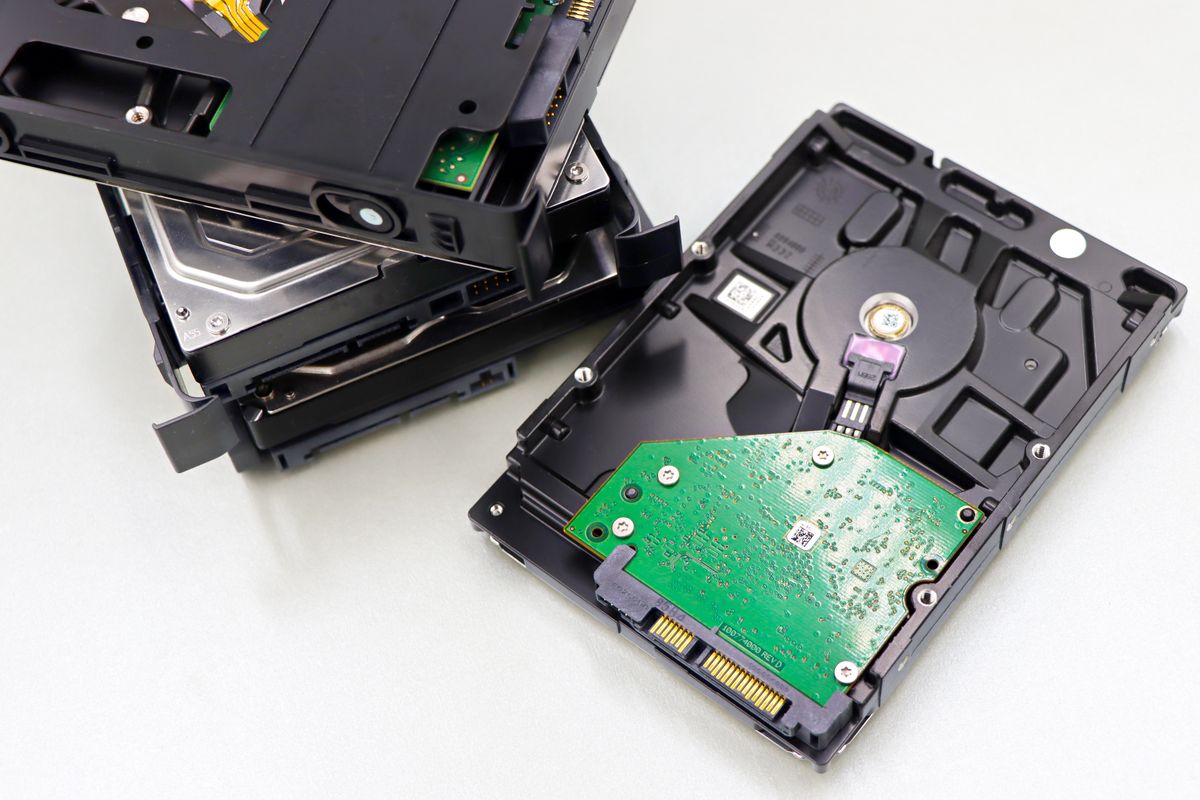
A hard drive fails mechanically: bearing wear, head crashes, motor failure, and electronics. There is no meaningful write-limit in normal use — the limiting resource is time and vibration, not bytes. Backblaze’s 2025 drive statistics report, the largest public reliability dataset at 344,196 drives, recorded an annualized failure rate of 1.36 percent for the year, down from 1.55 percent in 2024, with a lifetime figure around 1.41 percent. Failure rates climb with age and vary by model — the same report shows specific older models running several times the fleet average — which is why model-level track records matter more than brand reputation.
An SSD has no moving parts but wears through write cycles: every program-erase cycle degrades the flash cells slightly. Manufacturers quantify this as TBW (terabytes written) and back it with warranty terms. Samsung’s official warranty documentation lists the 990 PRO at 5 years or 1,200 TBW for the 2TB model and 600 TBW for 1TB, and the SATA 870 EVO at the same figures. Those numbers sound limiting until divided by real workloads: a typical consumer writes 10-30TB per year, so a 600 TBW drive represents decades of ordinary use. Heavy workloads — video scratch disks, database servers, sustained game installs — move the calculation, and the write amplification that occurs when a drive is nearly full can consume endurance several times faster than the nominal rate. Keep a boot drive below roughly 80 percent full and the endurance rating becomes a formality rather than a countdown.
DRAM-less SSDs and other quiet compromises
Two specification details separate good budget SSDs from frustrating ones, and neither appears in the headline speed number.
DRAM-less designs omit the drive’s dedicated DRAM cache and use a portion of system memory (Host Memory Buffer) to store the flash mapping tables instead. For a boot drive handling everyday loads, modern DRAM-less drives with HMB are fine and dominate the budget segment. The compromise shows under sustained writes: once the drive’s fast pseudo-SLC cache fills during a long transfer, write speed drops to the raw flash rate, which on budget QLC drives can fall below the speed of an older mechanical drive. If your workload includes frequent large transfers — video files, VM images, game libraries — a drive with DRAM and TLC NAND is worth the premium.
QLC NAND stores four bits per cell instead of TLC’s three, trading endurance and write speed for lower cost per gigabyte. It is the reason 4TB and 8TB consumer SSDs exist at approachable prices, and it is a legitimate choice for read-heavy storage. As a primary drive for a system that writes often, it is the wrong tool; check which NAND type a budget drive uses before assuming the capacity price is free.
SMR versus CMR: the disk trap
The hard-drive market has its own hidden downgrade, and it is the one most likely to bite a buyer who checked capacity and price and nothing else. Shingled magnetic recording (SMR) overlaps data tracks like roof shingles to squeeze in more capacity per platter. It reads fine, but overwriting existing data requires an expensive read-rewrite shuffle that can cause write speeds to collapse — sometimes below 20 MB/s — during sustained overwrites or filesystem operations like RAID rebuilds and large file moves.
Conventional magnetic recording (CMR) writes tracks side by side with no such penalty. The distinction became unavoidable in 2020, when Western Digital publicly confirmed that some of its WD Red NAS drives — products marketed for RAID arrays — used SMR, a disclosure covered extensively in industry press and followed by class-action settlements. The lesson stuck and the market responded: WD’s current NAS line documents recording technology on every product page, with the WD Red Plus line specified as CMR with a 180 TB-per-year workload rating and a 3-year warranty, and the Red Pro line at CMR, 550 TB per year, and 5 years. Manufacturers of desktop drives are not always so forthcoming, so the rule for any drive destined for a NAS, a backup target, or frequent overwrites is explicit: verify CMR in the official spec sheet, or assume SMR is being hidden.
Where HDDs remain the rational choice
Three use cases still belong to spinning disks, none of them nostalgic.
Bulk backup and archives. Data that is written once and rarely touched — photo libraries, project archives, media collections — is the ideal HDD workload: sequential writes, infrequent reads, no latency sensitivity. The price-per-terabyte gap means an 8TB backup disk costs a fraction of equivalent flash, and the medium’s decades-long shelf stability at rest is well proven.
NAS and home servers. Multi-bay arrays running around the clock favor drives designed for the job: the CMR WD Red Plus class of disks with specified annual workload ratings, rotational vibration sensors in larger arrays, and warranties that contemplate 24/7 operation. Network latency and gigabit or 2.5-gigabit Ethernet already cap transfer speeds well below what an SSD could deliver over the same wire, so the storage medium rarely becomes the bottleneck. Backblaze’s fleet data shows high-capacity drives from the major enterprise lines sustaining low failure rates under far harsher duty than any home NAS will see.
Cold storage tiers in mixed systems. A common desktop pattern pairs a fast NVMe boot drive with a large HDD for bulk data, and it remains the best value configuration for creators and tinkerers alike — the SSD handles the OS, applications, and active projects while the mechanical drive holds everything else. For context on how long each tier of hardware tends to survive, our guide on device lifespans and the general habit taught in how to read a spec sheet both apply directly to storage shopping.
When the answer is simply SSD
Everything with an interactive component — boot drives, primary work drives, game libraries, external drives that travel — belongs on flash in 2026. The speed difference is not the sequential figures on the box but the random-access behavior that makes a system feel instant: a mechanical drive’s latency in milliseconds versus flash’s in microseconds is a 100-fold difference in the metric that users actually feel. Combined with silence, shock resistance, and lower power draw on laptops, there is no remaining argument for a spinning boot disk at any budget. The correct modern purchase is usually both: flash where the system lives, spinning metal where the data rests.