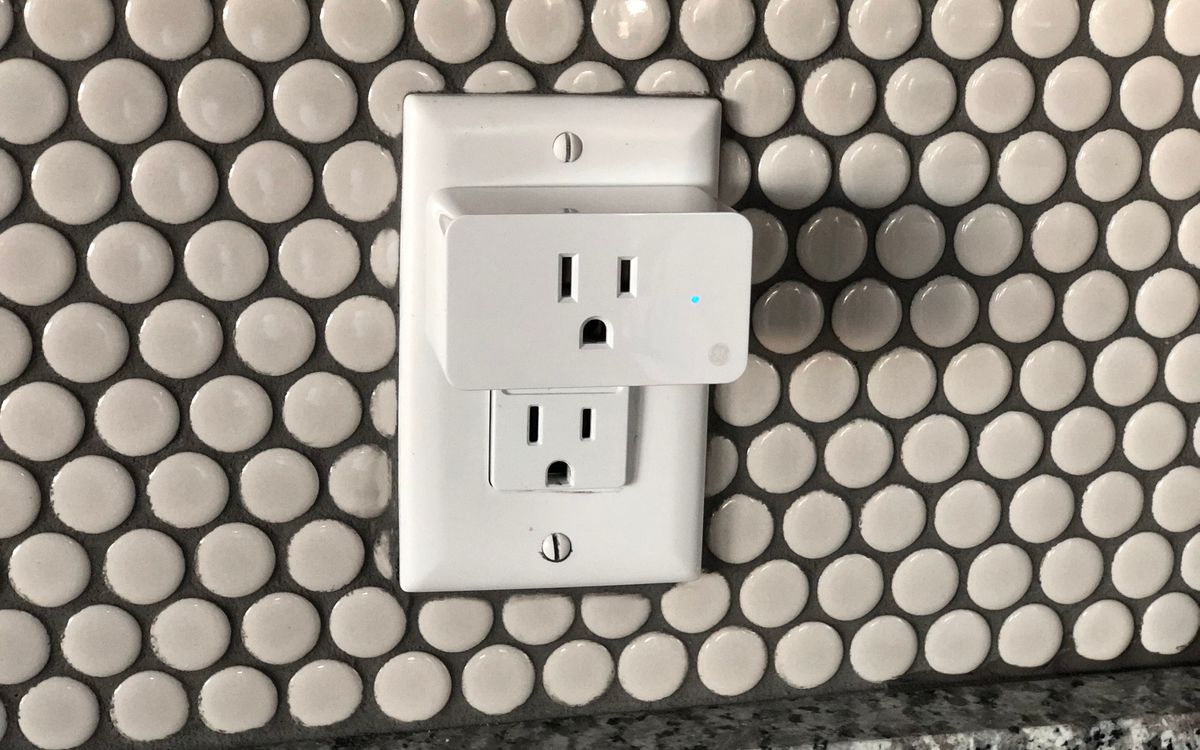
An energy-monitoring smart plug is the cheapest diagnostic tool in the smart home: ten to twenty-five dollars of hardware that turns an anonymous outlet into a live wattmeter with a history. The promise is real — people who instrument their homes routinely find appliances drawing power around the clock for no reason — but the promise sits on a measurement chain with real error bars, and on electrical ratings that most buyers never read. This guide covers how the metering works, how far you can trust the numbers, which loads justify a plug at all, and the rating trap that turns a $15 accessory into a fire risk.
How plug-level metering actually works
Inside a monitoring plug sits a current sensor — usually a shunt resistor or a Hall-effect sensor — that samples the current flowing through the outlet, hundreds of times per second in most designs. The plug’s chip multiplies measured current by an assumed voltage (120 volts in North America, 230 in Europe) and computes real power in watts, then integrates those samples over time into the kilowatt-hour totals you see in the app. Readings are relayed to your phone over Wi-Fi, Thread or the local network at intervals the manufacturer chooses.
Two design details explain most of the accuracy differences between products. The first is the assumed voltage: your wall outlet is not exactly 120 volts, it varies through the day and by household, and a plug that assumes a fixed value inherits that error. Better plugs also track power factor — the phase difference between voltage and current that matters with motors and switching power supplies — which is why budget plugs are measurably worse on electronics than on simple resistive loads like heaters and incandescent bulbs.
How accurate are the numbers, really
Round up the published measurements and reviews and a consistent picture emerges: consumer plugs land within about 2 to 5 percent of a reference meter on loads above roughly 20 watts, with premium models like Emporia and Kasa’s monitoring line reported near 1 to 2 percent. Below 20 watts the error grows — 5 to 8 percent is typical — and at true standby draws, single-digit-watt territory, reviews report errors of 5 to 10 percent. Switching power supplies, the kind in laptop chargers and TVs, add another few points of variance compared with simple resistive loads.

Context matters: your utility’s billing meter is held to roughly 2 percent tolerance, so a good plug is nearly billing-grade, while a cheap one is directionally right. For the decisions plugs inform — is this refrigerator worth replacing, is the entertainment center drawing 40 watts at midnight, does the dehumidifier actually cycle off — even 8 percent error changes nothing. Where it does matter is measuring a 2-watt phantom load and drawing conclusions from the third decimal place; at that level, the honest answer is “somewhere between 1.8 and 2.2 watts.”
Standby loads: where plugs earn their keep
The US Department of Energy estimates that idle phantom loads account for 5 to 10 percent of residential electricity bills — the cumulative drip of devices that are off but not really off. This is the problem class plugs were born for, because it is invisible from the utility bill and trivial to see on a plug’s live readout. Reviewers who have instrumented ordinary homes describe desktop PCs, soundbars and laser printers drawing 10 to 35 watts around the clock in standby, and whole entertainment centers in the tens of watts.
The diagnostic routine is simple and worth doing once per room: plug in, let the device sit in its normal idle state, and read the standby wattage. Anything pulling more than a few watts with no function is a candidate for a scheduled cutoff — most monitoring plugs include scheduling and auto-off routines that hard-cut power on a timer or below a wattage threshold. One caution from the same reviewers’ guidance: refrigerators, modems and anything with a compressor or a safety function belong on continuous power regardless of what the meter shows.
Which loads are worth tracking, and which are not
Worth a plug: anything that cycles, idles, or was bought during a previous decade. Refrigerators are the classic case — an aging unit can draw on the order of 1.5 kWh per day, and a plug will show you the compressor’s duty cycle and true daily consumption, which is exactly the data that justifies or defers a replacement. Dehumidifiers, space heaters, old gaming consoles, entertainment centers, garage freezers and home-office equipment all return useful answers within a week.
Not worth a plug: hardwired loads — HVAC, water heaters, ovens, EV chargers — which a plug cannot see at all, and devices whose draw you already know. If the goal is whole-home visibility rather than diagnosis of specific suspects, a panel-level monitor with current clamps is the right tool, with plugs as the drill-down instrument afterward. The plug answers “what does this one thing cost me”; only the panel answers “where is my electricity going” across the house.
The rating traps: peak amps, inrush and continuous load
Every plug has a current rating, and most buyers misread it in the same way. A “15A” plug is rated for 15 amps of continuous load — about 1,800 watts at 120 volts — not 15 amps of whatever the moment demands. Heaters and other resistive loads sit at their nameplate wattage continuously, which is why a 1,500-watt heater consumes most of a standard plug’s envelope, and why safety reviewers warn against running space heaters on ordinary smart plugs at all.
Motors and compressors add the second trap: inrush current, the brief surge when a compressor starts, can be several times the running draw. A plug that survives a refrigerator’s running current can still fail — or weld its relay — at startup, which is why reputable products carry UL or ETL certification and explicitly state their tolerance for motor loads. The third trap is marketing arithmetic: peak ratings printed large, continuous ratings in the fine print, and a “15A” on the box for a product that handles 10 amps sustained. Read the continuous number, check the certification, and leave the heaviest loads on heavy-load-rated hardware.
Sampling rate and the data you actually get
Two plugs with identical accuracy can produce very different information. Most sample and log every 30 to 60 seconds, which is fine for daily kWh totals but blurs short events: a refrigerator compressor cycle, a standby spike, a device that wakes hourly. Emporia’s plug, frequently cited in roundup reviews for its data depth, samples about once per second, which is what makes it useful for diagnosing cycling loads; several Matter-capable plugs from TP-Link’s Tapo and Kasa lines sit in the middle, reporting every few seconds. If your use case is “how much does this cost per month,” sampling rate is irrelevant. If it is “why is my fridge running all night,” it is the spec that matters. Data export is the other quiet difference — only a minority of plugs offer CSV or API access, which turns a toy graph into analyzable data.
When a plug is the wrong tool
The honest limits: a plug sees exactly one outlet, cannot measure hardwired circuits, adds its own watt or two to the bill, and — on cloud-dependent models — stops reporting usefully if the vendor’s servers or your internet go down. Local-control options exist for buyers who care; our guide on the Matter smart home standard explains why certified Thread plugs keep working on your own network. For whole-home accounting, pair one or two suspect-diagnosis plugs with a panel monitor rather than buying ten plugs to approximate what the panel sees in one. And once the diagnosis is done, the plug’s most valuable feature is the boring one: the schedule that cuts the phantom load off at midnight, every night, without your attention. The same specification-literacy habit pays off across categories — see smart bulbs without a hub for the lighting version, or our general guide on how to read a spec sheet.